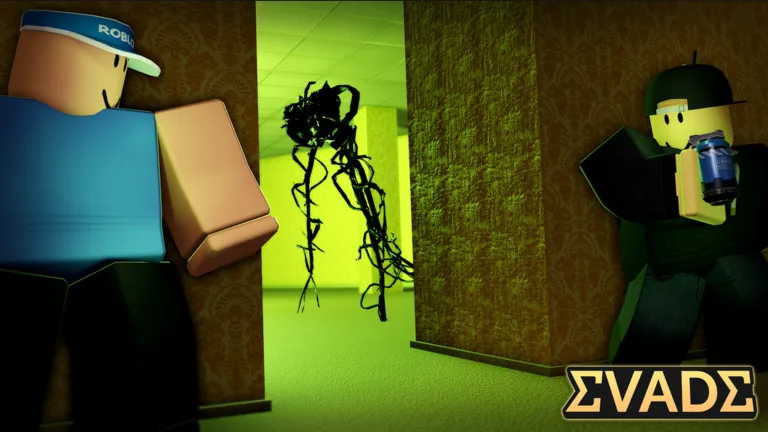
Evade How to Drink Cola on PC: A Complete Speed Guide
Master the art of movement in Roblox Evade. Learn how to drink cola on PC to boost your speed and survive longer with our easy-to-follow expert guide.
Published: Evade Wiki Editorial Team
Table of Contents
Speed is the ultimate survival tool in the high-stakes world of Roblox Evade. If you have ever wondered about evade how to drink cola on pc, you are likely looking for that extra edge to outrun the relentless bots chasing you down.
Mastering the use of consumables like Cola is essential for any player aiming to climb the leaderboards or simply survive until the end of the round. In this guide, we will break down exactly how to equip, manage, and consume Cola to maximize your mobility and tactical advantage.
Why Using Cola is a Game-Changer in Evade
In Evade, every second counts. The game relies heavily on movement mechanics, and while sliding and jumping are your bread and butter, items provide the necessary utility to escape tight corners. Learning evade how to drink cola on pc significantly increases your movement speed, allowing you to create distance between you and the pursuers.
The Tactical Advantage of Cola
Increased Velocity: Provides a noticeable speed boost that can be the difference between a narrow escape and a game over.
Strategic Repositioning: Allows you to reach high-ground areas or safe zones faster than your opponents.
Combo Potential: Pairs perfectly with advanced movement techniques like infinite sliding or trimping.
Step-by-Step: How to Equip and Consume Cola
Many players struggle with the initial setup because the game’s interface can be overwhelming for beginners. To successfully use your Cola, you must first ensure it is properly configured in your inventory.
1. Purchasing and Equipping
Before you can drink it, you must own it. Head to the in-game shop and navigate to the 'Equipment' tab. From there, select 'Usables' to find the Cola. Once purchased, ensure it is equipped in your active loadout.
2. The Interaction Process
Once you are in a match, the items you have equipped are assigned to specific keys. Based on community reports, the default key for using consumables on PC is often '2' or simply using your mouse to select it from the utility menu.
Action
Key/Command
Description
Open Shop
Click Shop Icon
Locate equipment and usables
Equip Item
Menu Select
Ensure Cola is in your active slot
Use Item
Press '2' / Left Click
Activates the effect immediately
Refining Your Movement with Cola
Once you know evade how to drink cola on pc, the next step is timing. Drinking your Cola at the wrong moment can lead to a waste of resources. Experienced players often save their Cola for the final minute of the round when the bots become significantly faster and more aggressive.
Tips for Optimal Usage
Don't Panic-Drink: Wait until your stamina is low or the bots are within a critical distance before triggering the boost.
Combine with Sliding: Use the boost to initiate a slide. The momentum gained from the drink will make your slide last significantly longer.
Check Your Inventory: Before spawning into a match, always double-check your 'Modify Items' menu to ensure your consumable slots are filled.
According to veteran players, the most common mistake is failing to equip the item in the lobby. If you join a match and realize you can't use your item, you will need to leave and re-equip it in the menu.
Troubleshooting Common Issues
If you find yourself asking evade how to drink cola on pc but the item isn't working, check these common pitfalls. Sometimes, the game requires you to re-join a server if you have recently modified your loadout, as the data might not sync immediately.
Frequently Encountered Problems
Item Not Equipped: The most frequent issue is forgetting to save the loadout in the 'Modify Items' screen.
Cooldowns: Remember that consumables often have a cooldown period. You cannot spam the drink button; you must wait for the effect to expire or the cooldown to reset.
UI Glitches: Occasionally, the UI might hide your usable items. Pressing the designated number key (usually 2) should force the item to appear in your hand.
Issue
Likely Cause
Solution
Item not in hand
Not equipped in lobby
Re-enter lobby, check 'Usables'
No speed boost
Cooldown active
Wait for the effect to wear off
Key not working
Custom keybind conflict
Reset controls to default
Advanced Techniques: Beyond the Basics
Once you have mastered the basics of evade how to drink cola on pc, you should look into combining this boost with advanced movement techniques. Many top-tier players use the Cola boost to initiate an 'e-dash' or an 'infinite slide'.
By utilizing the increased speed from the drink, you can maintain momentum through corners that would otherwise slow you down. This is particularly useful on maps with long, flat corridors where speed is your primary defense. For more information on official game updates and mechanics, you can visit the official Evade Roblox page.
Tip
Pro Movement Tip
Always look behind you while drinking. The speed boost can sometimes cause you to collide with obstacles if you aren't paying attention to your trajectory!
FAQ: Frequently Asked Questions
Q: Is there a limit to how much Cola I can buy?
A: No, you can purchase as much as you like, but remember that they are consumables and will be used up during matches.
Q: Does the Cola effect stack with other speed boosts?
A: Generally, the speed boost from Cola is the primary way to increase movement speed, but stacking it with specific movement techniques like sliding is the intended way to get the most out of it.
Q: Why can't I see the Cola in my inventory during a match?
A: This usually happens if you forgot to equip it in the 'Usables' section of the shop menu before joining the server. You may need to leave and re-join to update your loadout.
Q: Is there a specific key for drinking Cola on PC?
A: While the default is often '2', you can check your keybindings in the settings menu to see which key is assigned to your utility or usable slot. Mastering evade how to drink cola on pc is all about mapping your keys to what feels most natural for your playstyle.