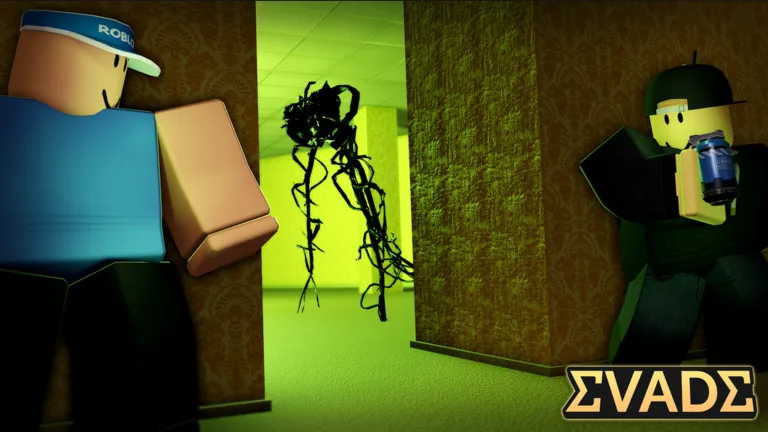
Complete Guide to Evade Emotes: Master Movement and Style
Discover everything about Evade emotes in Roblox. Learn how to use them for emote hopping, gain speed, and stand out in this intense survival game.
Published: Evade Wiki Editorial Team
Table of Contents
In the high-stakes world of Roblox's hit survival game Evade, your survival depends on more than just running away from nextbots; it depends on your movement mastery. Many veteran players have turned Evade emotes into a core mechanic, transforming simple animations into powerful tools for mobility and style.
Why should you care about your emote collection? Beyond just showing off your personality, mastering specific Evade emotes can be the difference between a narrow escape and being caught by a nextbot. This guide will walk you through everything you need to know to leverage these animations for your survival.
Understanding the Role of Emotes in Evade
While some players see emotes as purely cosmetic, the community has discovered that they play a significant role in movement optimization. When you trigger an emote, your character’s hitboxes and movement patterns can slightly shift, which, if timed correctly, allows for advanced techniques like "emote hopping."
According to player experience and community reports, not all animations are created equal. Some are fast and snappy, making them ideal for quick adjustments, while others are long and complex, requiring specific utility items to function effectively during a chase.
Emote Movement Profiles
Emote Type
Speed Impact
Best Usage
Difficulty
Quick/Snappy
High
Rapid direction changes
Easy
Flowing/Slow
Variable
Emote surfing/bouncing
Hard
Utility-Based
High (with item)
Long-distance traversal
Expert
How to Master Emote Hopping
Emote hopping is a technique where players chain animations together to maintain momentum while avoiding nextbots. This is particularly useful when you need to navigate uneven terrain or gain an extra boost of speed.
To perform this effectively, you must understand that some animations require a utility item to work properly. Without the correct utility, your character might simply stop or perform a standard animation that leaves you vulnerable.
Step-by-Step Emote Hopping
Timing the Intermission: Start your emote immediately after the intermission timer hits zero to establish your rhythm.
Utilize Terrain: Look for slopes or hills where you can "surf" the animation.
Monitor Your Speed: If you feel yourself losing speed, switch to a faster, more responsive emote.
Avoid Obstacles: Keep an eye out for tight corridors where complex animations might cause you to clip into walls.
[!TIP]
Pro Movement Tip
Always keep your camera sensitivity high. When you are in the middle of an emote, your mouse control is your primary way to steer your character’s momentum.
Selecting the Right Emotes for Every Map
Different maps in Evade favor different playstyles. Some maps are wide open, allowing for long, flowing animations, while others are cramped and require quick, twitchy movements. You should curate your emote wheel based on the map's layout.
For example, on maps with many hills or elevated platforms, you want animations that allow for "chimping" or "bouncing" off surfaces. If you find yourself in a tight spot, quickly switching to a high-speed emote can help you break the line of sight with a nextbot.
Popular Emote Performance Comparison
Emote Name
Best For
Speed Gain
Reliability
Stride
Quick bursts
High
High
Swag Walk
Maintaining rhythm
Medium
High
Conga
Continuous movement
Medium
Medium
Penguin Dance
Complex maneuvers
Low
Low
Avoiding Common Mistakes
One of the most common mistakes new players make is trying to use slow, long-duration emotes when a nextbot is right behind them. This is a recipe for disaster. If an animation is too long, you are effectively "locked" into that movement pattern, making you an easy target.
Another frequent error is failing to coordinate your emote usage with your utility items. As shared by top players in the official Evade Roblox page, certain moves require specific gear to be effective. If you try to perform a complex move without the necessary utility, you will likely lose your momentum and get caught.
[!WARNING]
Avoid Over-Emoting
Do not attempt to emote in narrow hallways or corners where you cannot easily correct your path. It is better to run normally than to get stuck in an animation loop and lose your life.
Advanced Strategies: Emote Surfing
Emote surfing is an advanced technique where you leverage the physics engine to glide over ground surfaces. By chaining specific inputs with your emote animation, you can cover more ground than by running alone.
Gain Airtime: Use the animation to "bounce" off the terrain.
Maintain Momentum: Do not stop moving your camera; constant micro-adjustments are key.
Recover Quickly: If you mess up, immediately cancel the emote or switch to a "reset" animation to regain control of your character.
Frequently Asked Questions (FAQ)
Can I use any emote to move faster in Evade?
Not exactly. While many Evade emotes look cool, only specific animations facilitate movement techniques like emote hopping. You need to test which ones feel best for your playstyle.
Do I need special items to perform these moves?
Yes, some of the more advanced techniques require utility items to trigger the physics interaction necessary for "surfing" or "bouncing." Always check your inventory before a round starts.
Why does my character stop moving when I emote?
This often happens if you are using a slow emote without the required utility or if you have collided with an object. Practice in empty servers to get a feel for which emotes are "safe" to use during a chase.
Are there specific emotes for different maps?
Yes, map layout matters. Open maps allow for more creative movement, while smaller, cluttered maps require quick, responsive emotes to navigate safely.